
League of Legends Cheats
Set combat modules, soft aim, and humanizer sliders for each champion. Match the League of Legends build label before a match.
Product Overview
At a glance
Key capabilities
The short list for League of Legends Cheats, before the full module list.
Another 9 options are in the full list below.
Overview
League of Legends cheats on Windows
How the listed modules and the status banner fit a League of Legends session.
The orbwalker tab handles attack-move, harass, lane clear, and last-hit assist with humanizer curves so spacing looks natural in lane and in fights.
Evade, prediction, and target selector share the combat stack: dodge incoming skillshots, lead skillshots on moving targets, and focus the right champion in messy team fights. Champion scripts and activators handle combos, Summoner spells, and item actives per champ.
Awareness overlay adds jungle timers, ward hints, and minimap drawings without replacing game sense. Misc holds stream-proof mode, config profiles, hotkeys, and Cloud DMA status—the full menu expects Cloud DMA connected. Check the build label on leaguesoflegendscheats.com before a match for Summoner's Rift.
Orbwalker covers attack-move, kite spacing, last-hit assist, and lane-clear priority. Evade reads skillshots and issues dodges with danger and team-fight toggles. Prediction, target selector, champion logic packs, and activators sit on their own tabs. Awareness overlay draws jungle timers, wards, and minimap hints. Humanizer delays, stream-proof capture, config profiles, and Cloud DMA status are on Misc.
Configuration and support
Each module can stay off per champ or mode. Humanizer curves soften click timing. Setup notes ship in the portal. A League patch or Vanguard update can change which settings remain.
Checkout and delivery
The checkout page confirms the available access options. The portal provides delivery instructions after purchase. Open the build label before a session.
Updates and compatibility
Compatibility can shift after a League patch or a Riot Vanguard update. The full menu needs Cloud DMA on a supported Windows build. Check the client version and the build label on leaguesoflegendscheats.com before a match.
Modules
What's included
The full option list for League of Legends Cheats. Each line can be switched in the menu.
- Orbwalker and attack-move
- Kite spacing and last-hit assist
- Evade with team-fight toggle
- Skillshot prediction
- Target selector priority
- Champion logic packs
- Activators and summoner spells
- Awareness overlay
- Jungle and ward timers
- Minimap drawings
- Humanizer delays
- Stream-proof capture
- Save and load config profiles
- Menu key and panic key
- Cloud DMA status
Experience
Menu layers after the portal opens
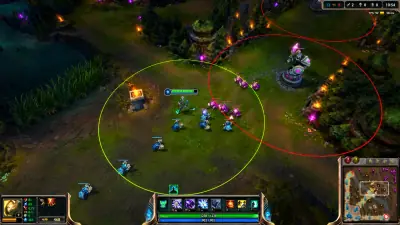
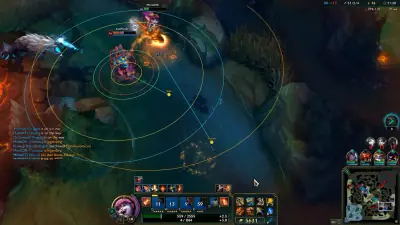
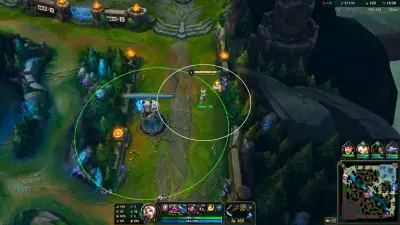
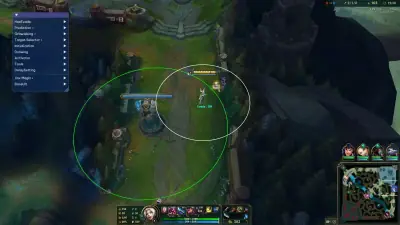
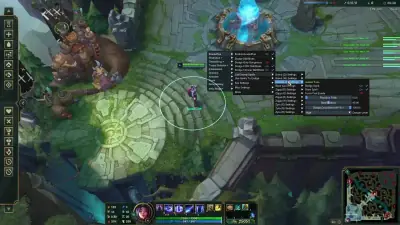
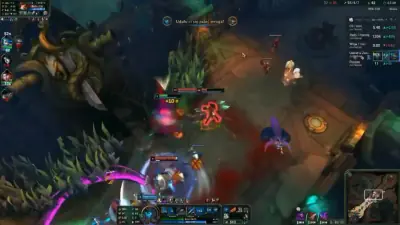
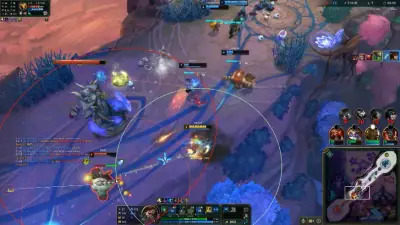
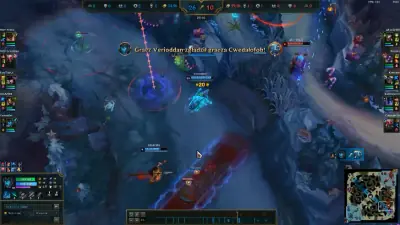
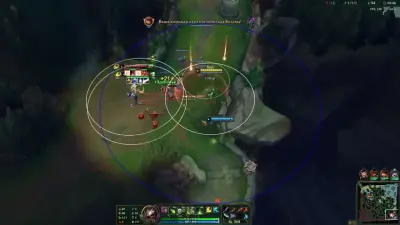
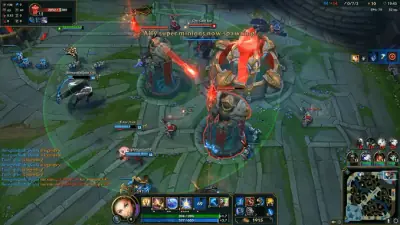
The shots above are the LoL menu: combat modules, map reads, and misc. The notes below explain each group and how the portal opens after checkout.
In-client layers
- Layer A
Mid lane push
Orbwalker spacing and last-hit timing in mid during a live ranked session.
- Layer B
River clash
Evade movement and target selector focus during a river fight.
- Layer C
Turret siege
Prediction and kite spacing while pressuring a turret with Ezreal.
- Layer D
In-game overlay
Orbwalker modes, jungle awareness, and evade hints layered on live gameplay.
- Layer E
Overlay detail
Champion script toggles in a fight, target priority, activator readiness.
- Layer F
Orbwalker tab
Attack-move, harass, last-hit assist, and humanizer curves on the orbwalker panel.
- Layer 7
Core modules
Evade danger tiers, prediction hitchance, and target selector priority in one view.
- Layer 8
Misc tab
Hotkeys, stream-proof mode, saved config profiles, and Cloud DMA status.
- Layer 9
Wide gameplay
Awareness overlay, ward hints, and minimap drawings during macro play.
- Layer 10
Client desktop
Queue flow on Windows with Vanguard active and the menu ready before champ select.
More products
Pairs well with
Utilities sold beside the cheat. Each one keeps a separate page.
- HWID Spoofer After a hardware flag, this license rewrites disk serials, MAC addresses, GPU IDs, and related fingerprints Riot Vanguard may collect. Trace cleanup is in the same license. View details: HWID Spoofer
- Cloud DMA Cloud DMA can also require GREENWARD, Static Server, and AWS, each bought on its own. Read that list on the Cloud DMA page before you order. View details: Cloud DMA
- Skin Changer A small client previews champion skins, chromas, and ward skins on your screen. The look stays on this PC and is not written into your Riot inventory. View details: Skin Changer
FAQ
Questions about this page
Answers for this page. The FAQ page holds the rest.
Blog
Related guides
Filter by topic for setup notes, module explainers, and patch-day checks.
Summoner's Rift does not play like a first-person shooter.
Most marksman fights are decided in the steps between auto attacks.
A still target makes a skillshot look easy.
One spell can still decide the fight.
A module written for one champion can be useless on the next.
On Summoner's Rift, missing information loses games that damage would have won.
LoL read-only threads
Read discussion
Read-only answers on League of Legends cheats, orbwalker, evade, Cloud DMA, HWID panels, and Vanguard. Each answer points at a longer note.
- Account & HWID Can a League script draw an account penalty? A League script can draw a sanction on the Riot account. Undetected describes today's build, not the build after the next Vanguard update.
- Setup & Vanguard What does Vanguard load before a match starts? Riot Vanguard loads a kernel driver and user-mode components when the League client queues. It stays active during the session on supported Windows builds.
- Features & Scripts How does the orbwalker time last hits and kiting? The orbwalker tab combines attack-move, kite spacing, and optional last-hit priority. Humanizer delays sit on the same panel.
- Features & Scripts Which spells does the evade module answer? Evade reads incoming skillshots and issues movement orders before impact. Danger levels and hitchance filters keep it from jittering in team fights.